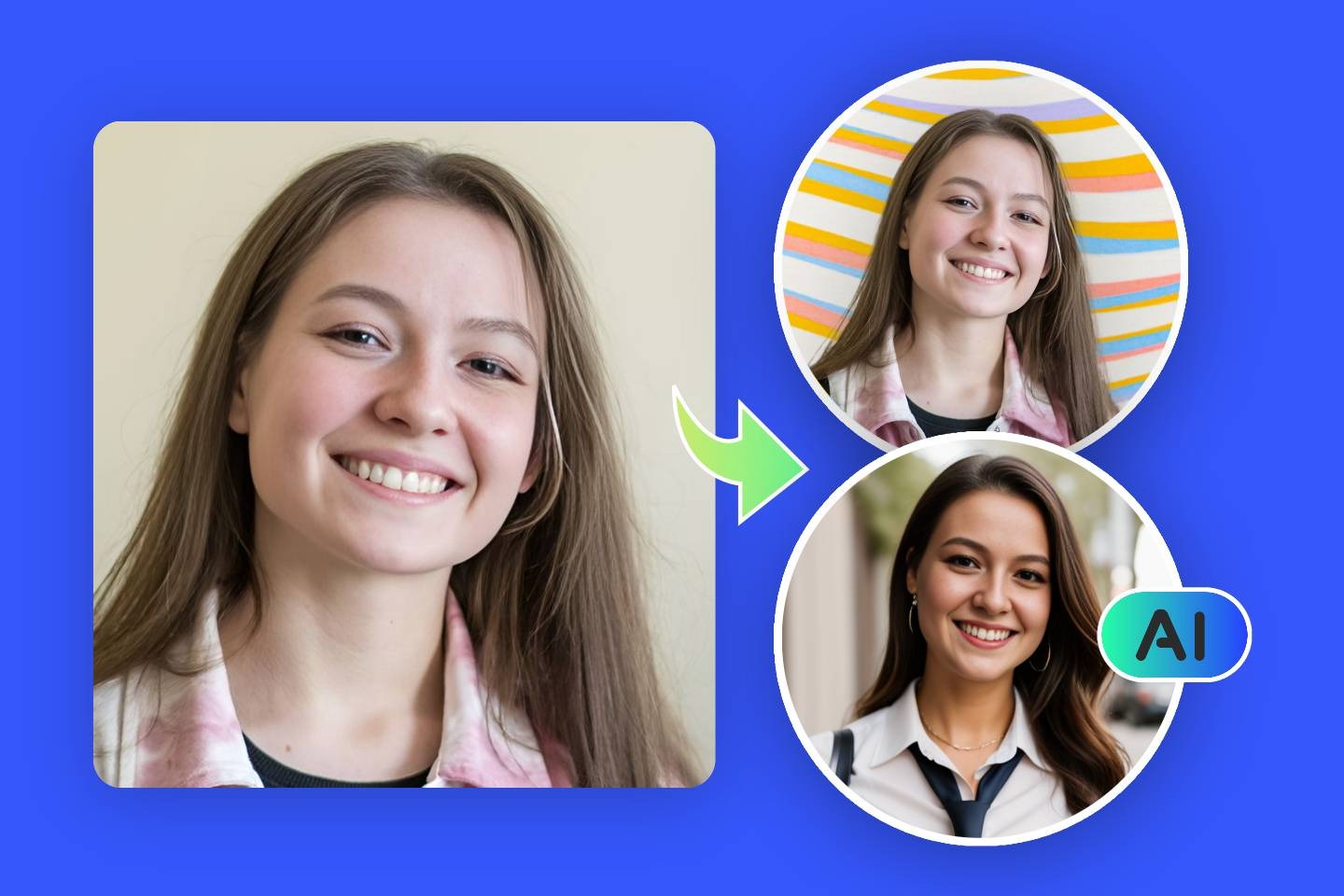
Your profile photo is one of the smallest elements of your online presence, yet it holds surprising power. It can influence how people perceive you, determine whether someone clicks on your profile, and even shape the first impression you leave behind. Whether you’re building a personal brand, growing a social media channel, or simply trying to look more presentable online, having the right profile picture matters more than most people realize. And the good news is, you don’t need professional equipment or editing skills to create one. With today’s online tools, you can design a standout profile photo in just minutes, without any fuss or technical confusion.
Why a Good Profile Picture Makes Such a Difference
Before diving into how a profile picture maker works, it’s important to understand why this tiny image has such a big impact.
1. First Impressions Form in Seconds
People make judgment calls instantly. A blurry or poorly composed picture may come across as careless or unprofessional. A clean and polished photo signals confidence, clarity, and credibility.
2. It Helps Build a Strong Digital Identity
Across platforms, Instagram, Facebook, LinkedIn, YouTube, a consistent photo helps people recognize you instantly. It creates a unified personal brand and makes your profile feel more trustworthy.
3. Engagement Increases with Better Photos
Statistics show that accounts with high-quality profile images tend to attract more clicks, messages, and follows. People are naturally drawn to clean, visually appealing images.
4. It Reflects Your Personality and Style
Your photo is not just about your face, it also communicates your vibe. Bright, fun, serious, artistic, minimal, bold, your profile image quietly tells people who you are.
A powerful profile picture is more than a photo. It’s a statement.
What Makes a Profile Picture Maker So Useful?
In the past, creating a polished profile photo meant learning how to use professional editing tools or hiring a photographer. But now, online profile picture makers do the heavy lifting for you.
Here’s why these tools are becoming so popular:
1. They’re Simple and Beginner-Friendly
You don’t need design experience. Everything is automated, with easy steps anyone can follow.
2. They Save Time
What used to take hours of manual editing is now done in seconds with smart AI features.
3. They Enhance Photos Automatically
Lighting, sharpness, contrast, and colors are all improved instantly.
4. They Offer Stylish Backgrounds and Templates
From professional gradients to fun patterns, you can fully customize your look.
5. They Work for Any Platform
Whether you’re making a LinkedIn-ready business portrait or a casual Instagram photo, tools optimize the image for every format.
6. They Help You Stay Consistent Across Platforms
A single image can be sized and cropped perfectly so you look uniform everywhere online.
How to Design a Standout Profile Picture with Our Maker (Step-by-Step)
You don’t need photography gear. You don’t need editing software. Just follow these steps, and in a few minutes, you’ll have a profile picture you’ll be proud to display.
Step 1: Upload a Clear Photo
Start with a photo where your face is clearly visible. Natural lighting is ideal, avoiding harsh shadows or bright backlights.
Choose a photo where:
- Your face faces the camera
- The lighting is even
- Your expression looks natural
- The background isn’t too distracting
Even if the background is messy, don’t worry, the tool will handle that later.
Step 2: Let the Tool Detect and Enhance Your Face
Once you upload your photo, the profile picture maker automatically improves:
- Skin tone
- Clarity and sharpness
- Lighting
- Color balance
This instant enhancement keeps everything looking natural while removing distractions like noise and dull colors.
Step 3: Remove or Replace the Background
The background is a major part of what makes a profile picture stand out. With a good online tool, background editing becomes effortless.
You can choose from:
Solid Color Backgrounds
Perfect for minimal, clean, and professional looks.
Gradients and Modern Shades
These give your profile a premium, stylish touch.
Studio-Like Backdrops
Ideal for business or LinkedIn-style photos.
Creative and Fun Backgrounds
Patterns, textures, or custom designs to show off your personality.
Blur Effects
Softens the environment so your face becomes the main focus.
With one click, your background transforms completely without affecting your face.
Step 4: Select a Style that Matches Your Purpose
Different platforms demand different looks. The tool allows you to quickly switch between styles:
Professional Style
Great for job seekers, business owners, corporate use, and LinkedIn profiles.
Casual and Friendly
Perfect for Facebook, Instagram, or WhatsApp.
Creative and Trendy
Ideal for influencers, creators, or artistic personal brands.
Bold and Dynamic
Eye-catching designs that stand out on crowded platforms.
Switching between styles helps you decide which one represents you best.
Step 5: Adjust the Crop and Composition
A perfect profile picture isn’t just about the background, it’s also about framing. The tool helps you:
- Center your face
- Adjust crop for circular or square format
- Ensure your head size is proportionate
- Leave enough breathing space around your face
Whether you need a circle crop for Instagram or a square crop for LinkedIn, the tool formats everything perfectly.
Step 6: Apply Final Touches
After choosing your style and background, you can fine-tune additional elements:
- Brightness
- Contrast
- Warmth
- Sharpness
- Shadows
- Soft edges
These subtle adjustments help your photo look polished without appearing overly edited.
Step 7: Download Your Ready-to-Use Image
Once you’re satisfied, download your final profile photo in high resolution. It will be optimized for clarity, compression, and platform compatibility.
You now have a profile picture that’s professional, stylish, and true to your personality.
What Makes a Profile Picture Truly Stand Out?
Even with powerful tools, the essence of a great profile picture is authenticity. You want the image to reflect who you are, not just an edited version of yourself.
1. Stay Genuine
A natural smile goes much further than a forced pose.
2. Keep It Simple
Avoid too many design elements or distracting patterns.
3. Focus on Your Face
Your face should take up at least 60–70% of the frame.
4. Match Your Personality
If you’re fun and outgoing, let that show. If you’re professional and calm, choose a background that matches that tone.
5. Maintain High Quality
Sharpness and clarity matter more than anything else.
Benefits of Using a Profile Picture Maker
Using a modern online tool doesn’t just make the process easier, it improves your online presence in multiple ways.
1. Perfect for Rebranding Yourself
If you’re updating your professional image or starting fresh on social media, this tool gives you a brand-new look instantly.
2. Saves You from Expensive Photoshoots
You no longer need professional photographers or studio backgrounds.
3. Unlimited Customization
Try different backgrounds, effects, and styles until you find the perfect one.
4. Great for Personal and Professional Use
Whether you need a casual photo for social media or a polished image for your resume, one tool can create both.
5. Gives You Control Over Your Image
You can update your photo anytime you want, no waiting, no appointments.
Who Can Benefit the Most from a Profile Picture Maker?
Job Seekers
A clean, professional photo increases trust and boosts your LinkedIn visibility.
Business Owners and Entrepreneurs
A polished profile picture strengthens your brand identity.
Influencers and Content Creators
Consistency is key to building a recognizable online presence.
Students and Fresh Graduates
A good profile picture helps create a strong first impression when applying for internships or jobs.
Social Media Users
If you want to refresh your online identity or match a new aesthetic, the tool makes it simple.
Final Thoughts
Your profile photo is a powerful part of your online identity. It tells your story before you even speak. With a modern profile picture maker, you can design an image that’s polished, eye-catching, and authentic, all without technical skills or expensive tools.
Whether you want something professional, creative, bold, or minimal, the right tool helps you craft a profile picture that stands out everywhere you use it.
With just a few clicks, your online presence can look sharper, more confident, and more memorable. So if you’re ready to upgrade your digital identity, now is the perfect time to create a profile picture that truly represents you.